If you are searching for what is VPA in PhonePe, the short answer is: VPA means Virtual Payment Address, and it is the same payment identifier most apps call your UPI ID. It lets someone send money to your linked bank account without you sharing your account number or IFSC code.
The terms can look confusing because the exact suffix and menu names depend on the app and bank. This guide explains what a VPA looks like, where to find it in PhonePe and Paytm, what a VPA remark means on a bank statement, and how a merchant can use a business VPA with automatic payment verification.
VPA meaning in one line
A VPA is a UPI address used to identify the account that should send or receive a UPI payment. In everyday usage, VPA, UPI ID and UPI address usually refer to the same shareable identifier.
For example, a VPA may look like:
riya@oksbi9876543210@yblshopname@paytm
These are illustrative formats, not IDs to pay. The part before @ identifies the user or business, while the handle after @ identifies the participating app, bank or payment service provider. The actual handle shown in your app may be different.
The important distinction is between a VPA and a UPI PIN:
| Item | What it does | Can you share it? |
|---|---|---|
| VPA / UPI ID | Identifies the UPI account for sending or receiving money | Yes, when you want to receive money |
| UPI PIN | Authorises a debit from your bank account | No; keep it secret |
| UTR / transaction reference | Helps identify a particular payment | Share only when needed for support or reconciliation |
Sharing a VPA does not give another person permission to debit your account. A UPI PIN is used when you authorise a payment from your own account, so it should never be disclosed to a customer, caller or support agent.
NPCI’s UPI FAQ describes a payment address as an identifier such as xyz@upi and notes that a new app registration can create a VPA with that app’s handle.
VPA examples and handles
Think of the VPA as an email-style address for UPI. It is not an email account, but the structure makes it easier to type, display on an invoice or encode in a QR code.
The following parts are useful to understand:
- Username or alias: This is the part before
@, such asriyaorshopname. - Handle: This is the part after
@, such asoksbi,yblorpaytm. - Linked account: The VPA maps to a bank account or payment account available through the UPI app.
One person can see more than one UPI ID if several bank accounts or UPI apps are linked. You should share the exact ID that is currently displayed in the app, rather than reconstructing one from your mobile number or guessing the handle.
Before paying a new VPA, enter it in your UPI app and check the verified recipient name shown before you authorise the transaction. This is particularly important for a business: a similar-looking VPA can belong to a different person or shop.
How to find your VPA in PhonePe and Paytm
App screens change over time, but your VPA is normally near your profile, QR code or linked bank account. You do not need to look for the word “VPA” specifically; the app may label it UPI ID.
Find your VPA in PhonePe
PhonePe may use slightly different labels depending on the app version. The usual path is:
- Open PhonePe and tap your profile picture or profile icon.
- Open Payment Settings, Payment Methods or the section for bank accounts.
- Select the bank account you want to inspect.
- Look for UPI ID, UPI IDs or an option to view your QR code.
- Copy the displayed ID or use the app’s share option.
If more than one bank account is linked, check the account associated with the VPA you intend to share. PhonePe’s own terms explain that registration creates a VPA linked to your bank account; the app’s current labels are the best source for the exact ID on your device.
Find your VPA in Paytm
Paytm’s current help instructions give this path:
- Open the Paytm app.
- Tap your profile picture in the top-left corner.
- Select UPI & Payment Settings.
- Open the UPI ID section, or tap the displayed primary ID below your name and QR code.
- Copy or share the ID shown for the relevant linked bank account.
Paytm says its IDs may appear in formats such as number@paytm or name@paytm. If your menu looks different after an app update, open the profile and look for the UPI ID or linked bank-account settings.
When giving a VPA to a customer, copy it from the app and send it as text as well as a QR code where possible. Ask the customer to confirm the payee name before paying. Never ask the customer to send a UPI PIN or screen-sharing access.
What the “VPA” remark on a bank statement means
If your bank statement contains “VPA” in a transaction description, it generally indicates that the payment record includes a UPI virtual payment address. The VPA may be shown alongside the payer or payee name, amount, date and a transaction reference.
The wording is not identical across banks. A statement can show a VPA, UPI ID, abbreviated handle or other transaction fields, so the remark alone is not a separate charge or fee. It is a reference to the UPI address involved in that transaction.
For a business reconciliation, match more than the displayed VPA. Check the amount, date, transaction status and UTR or bank reference against the order or invoice. A screenshot that shows a VPA is not proof that money reached your account; verify the credit in the merchant account or through a trusted payment-status system.
Personal VPA vs merchant VPA for business
The basic identifier works in the same way, but the account behind it matters. A personal VPA is intended for an individual’s linked bank account. A merchant VPA belongs to the business’s UPI merchant setup and should be used when customers are paying for products or services.
| Situation | VPA behind the payment | Where the money should land | Practical use |
|---|---|---|---|
| Personal transfer | Personal UPI ID | Your personal linked account | Sending money to family or friends |
| Freelancer or sole proprietor | A business-appropriate UPI account | The account used for your business receipts | Invoices and client payments |
| Store, SaaS or service business | Merchant VPA | Your own Paytm Business or PhonePe Business merchant account | Checkout, invoices and QR payments |
Keeping personal and business receipts separate makes order matching and bookkeeping easier. It also gives customers a consistent payee name and VPA to verify before they approve payment.
For online orders, a single static VPA can tell you who received money but not necessarily which order the payment belongs to. The customer may pay the right VPA with the wrong amount, omit an order reference or use an old QR code. A business workflow should therefore connect the payment to an order using amount, UTR and an order or invoice reference wherever available.
Turn your VPA into a QR code
You can share a VPA as text, but a QR code is often easier at a retail counter, on a PDF invoice or in a WhatsApp message. The QR stores the payment address so the customer can scan it instead of typing the handle.
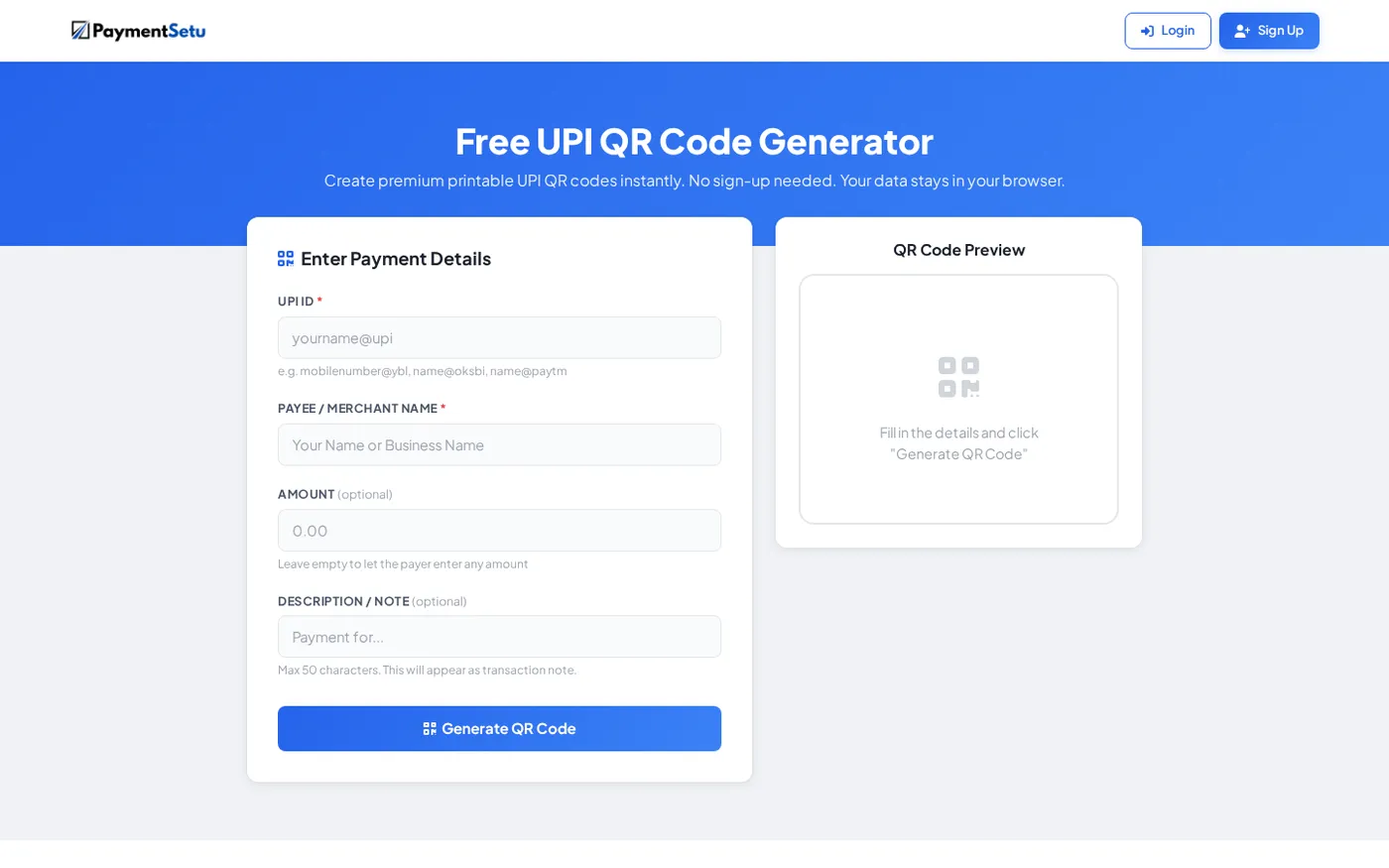
With PaymentSetu’s free UPI QR code generator, enter:
- Your exact UPI ID or VPA.
- The payee or merchant name customers should see.
- An optional fixed amount, if the QR is for one known invoice or product.
- An optional note, such as an invoice number or booking reference.
Then generate the QR, download the PNG or print it. For a general counter QR, leave the amount open so the customer can enter it. For a specific invoice, a fixed amount can reduce typing mistakes, but you should still reconcile the resulting payment with the correct invoice.
Before printing a QR for public use, scan it yourself and confirm the displayed payee name and VPA. If you change the receiving account later, replace old printed copies and update digital copies.
How merchants verify payments to a VPA automatically
A VPA tells UPI where to send money; it does not automatically tell your website which order to mark as paid. That second part is payment verification.
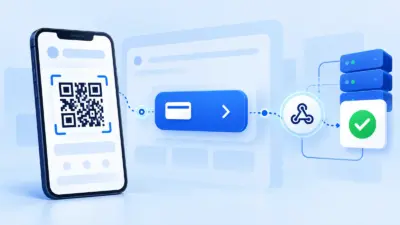
PaymentSetu is a payment verification service, not a payment gateway. The customer pays directly to the merchant’s own Paytm Business or PhonePe Business account. PaymentSetu matches the UTR and amount to the dynamic QR or order, then sends a webhook so your store or application can update its payment status.
A practical flow looks like this:
- Your checkout creates an order with an amount and order ID.
- The customer sees a QR or payment instruction containing the merchant VPA.
- The customer pays from a UPI app and the money goes to your merchant account.
- The payment reference and amount are checked against the order.
- Your application receives the verified status through a webhook and records the order as paid.
This is more useful than asking a customer to upload a screenshot because the business checks the transaction record rather than trusting an image. Your team should still keep the UTR, amount and order ID available for reconciliation.
For a small shop or freelancer, the PaymentSetu Starter plan provides 100 credits at ₹399 per 30 days, with one credit representing one successful payment verified. It includes dynamic QR, webhooks, API access, a unified dashboard and real-time notifications, while the customer’s payment remains in your own merchant account.
Common VPA mistakes to avoid
- Confusing a VPA with a PIN: A VPA can be shared to receive money; a UPI PIN cannot.
- Typing an ID from memory: Copy the exact ID from the app because the handle may differ between apps or bank accounts.
- Checking only a screenshot: Confirm the credit and transaction reference in the account or verification dashboard.
- Using a personal ID for every business receipt: Use a suitable merchant or business account so receipts are easier to identify.
- Printing an untested QR: Scan it before distributing it and confirm the payee name shown by the UPI app.
- Ignoring the order reference: A valid payment to your VPA can still be difficult to assign if the amount or invoice reference does not match.
FAQ
What is the full form of VPA in UPI?
VPA stands for Virtual Payment Address. It is the UPI payment identifier that apps commonly display as a UPI ID or UPI address.
Is VPA and UPI ID the same?
In normal UPI usage, yes: VPA, UPI ID and UPI address describe the same kind of shareable payment identifier. The label varies by app and by the documentation being used.
Where can I find my VPA in PhonePe?
Open PhonePe, go to your profile and open the bank account or UPI settings area. Select the linked account to view the UPI ID; the exact menu label may vary with the app version.
Can I share my VPA with someone?
Yes, share your VPA when you want to receive a UPI payment. Never share your UPI PIN, OTP, card PIN or screen-sharing access with the payer or anyone claiming to help.
Can a business use a VPA for automatic payment confirmation?
A business can use its merchant VPA to receive UPI payments, but the VPA alone does not match each payment to an order. A verification service such as PaymentSetu can match the UTR and amount to the order and send a webhook to your application.
DONE what-is-vpa-in-upi words=1950