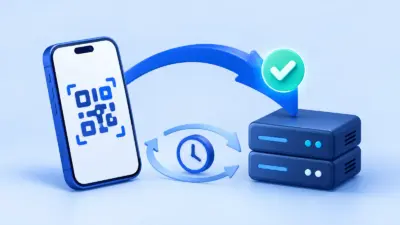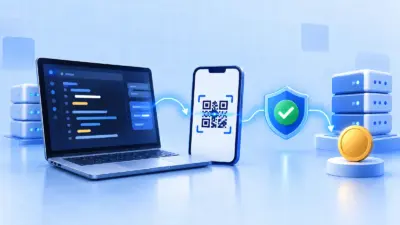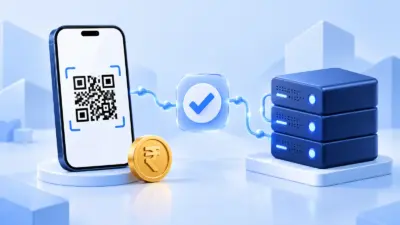

The UPI deep link format lets your website or app open a customer’s UPI app with the payee, amount and order details pre-filled. It reduces typing, but it does not prove that money was paid, so your server still needs to verify the UTR and amount before marking an order complete.
Anatomy of a upi://pay URL
A UPI deep link is a URI with the upi://pay scheme followed by query parameters:
upi://pay?pa=merchant%40bank&pn=Sunrise%20Cafe&am=1499.00&cu=INR&tr=ORD-1042&tn=Order%20ORD-1042Read it from left to right:
upi://is the URI scheme that tells a compatible device or app this is a UPI payment link.payis the action.?starts the query string.- Each
name=valuepair is a parameter. &separates parameters from one another.
The link is data for the payment screen. A UPI app can use it to display the merchant and amount, but the payer must review the details and authorise the payment with their UPI app. NPCI’s UPI product overview explains UPI’s broader payment model; its published UPI merchant ecosystem circular is also useful background for developers working with merchant-initiated flows.
For a static counter QR, you can keep the link simple. For an invoice or online order, add a fixed amount and a unique reference so the payment can be matched to one order later.
UPI deep link parameter reference
The table below covers the fields most useful in a normal merchant link. NPCI’s UPI Linking Specification 1.6 distinguishes static and dynamic use, so treat a field’s required status as dependent on the flow and the UPI app or PSP handling it.
| Parameter | Meaning | Example | How to use it |
|---|---|---|---|
pa | Payee virtual payment address (VPA) | merchant%40bank | The UPI ID that receives the money. This is the most important value to protect from accidental changes. |
pn | Payee name | Sunrise%20Cafe | The name shown to the payer. Use the merchant name customers will recognise. |
am | Amount | 1499.00 | Pre-fills a payment amount. Use digits and a decimal point, not a rupee symbol or comma separators. |
cu | Currency | INR | Use INR for Indian rupee payments. |
tn | Transaction note | Order%20ORD-1042 | A short human-readable description. Keep it useful and encode spaces and reserved characters. |
tr | Transaction reference | ORD-1042 | Your order, invoice, booking or subscription reference. Generate it on your server and keep it unique. |
mc | Merchant category code | 5812 | The merchant category code, when supplied by the acquiring or merchant setup. Do not invent one. Pass the value provided for your merchant account. |
Two fields are easy to confuse:
tris an identifier for the transaction or order. Your backend can use it to connect the payment attempt to a record.tnis a description for people and payment screens. It is not a secure authentication token and should not be your only matching key.
The older NPCI table also describes fields such as tid, url, mode, orgid and sign for particular merchant or PSP flows. Do not fill those with made-up values. tid is not simply another name for your order number, and signed or secure intents need the relevant merchant and PSP setup. For a basic link, use only the fields your flow genuinely needs.
Example links for common payment situations
1. Counter or printed QR
If the customer should enter the amount after scanning, omit am:
upi://pay?pa=shop%40bank&pn=Kaveri%20Stationery&cu=INRThis is suitable for a static counter QR where the final bill can vary. The UPI app should show the payee and currency, while the customer enters the amount.
For a fixed-price counter item, add the amount and a reference generated for that sale:
upi://pay?pa=shop%40bank&pn=Kaveri%20Stationery&am=250.00&cu=INR&tr=SALE-20261023-01&tn=Notebook%20and%20pensDo not reuse a dynamic order reference for multiple unrelated payments. If your system cannot associate a QR with a specific order, it will have less context when reconciling payments.
2. Invoice link
An invoice can carry a fixed amount and a readable reference:
upi://pay?pa=freelancer%40bank&pn=Ananya%20Designs&am=3500.00&cu=INR&tr=INV-2026-0087&tn=Invoice%20INV-2026-0087The invoice number is useful to the payer, but your server should still compare the payment amount and UTR with the invoice record. A note displayed by an app is not a substitute for payment confirmation.
If you need a customer to view full invoice details, use your own HTTPS invoice page separately. Do not place a long invoice body in tn; the field is intended as a short note and app displays can vary.
3. Online order
For an online checkout, create the order first, then build the link from server-side values:
upi://pay?pa=store%40bank&pn=River%20Goods&am=1299.00&cu=INR&tr=ORD-20261023-1042&tn=Payment%20for%20ORD-20261023-1042The order record should contain the expected amount, currency, reference and an initial unpaid state. When the customer returns from the UPI app, show a pending or confirmation screen until your server has checked the payment. Never trust an amount or order ID sent back by the browser alone.
You can also turn a link into a QR code. PaymentSetu’s free UPI QR code generator is useful for a static QR or a simple printable payment flow; an online order still needs a reliable reconciliation step after payment.
Common mistakes when building the URL
Encoding the whole link instead of each value
Build the scheme and separators yourself, then encode each parameter value. Do not URL-encode the complete string after adding ? and &, or the UPI app may receive one large, unusable value.
For example, the human-readable note Payment for Order #1042 & delivery should become a value similar to:
Payment%20for%20Order%20%231042%20%26%20deliveryThe & inside the note is %26; otherwise it will be interpreted as the start of another query parameter. Encode characters such as spaces, #, &, ?, % and non-ASCII text according to the URI component rules used by your language.
Double-encoding values
If a library has already changed a space to %20, encoding that result again can turn %20 into %2520. The payment app then sees the literal characters %20 instead of a space. Decide whether your URI builder expects raw values or already encoded values and apply encoding exactly once.
The @ in a VPA is another common source of confusion. A value such as shop@bank may appear as shop%40bank in the final URI. That is normal percent-encoding. Test the exact output on the UPI apps and devices your customers use.
Formatting am like a price label
Keep am machine-readable:
am=1299.00Avoid these forms:
am=₹1,299
am=1,299.00
am=1299 rupees
Do not calculate the amount in a browser and then trust it at payment time. Calculate it on the server, store it with the order, and validate the received payment against that stored value. Use a decimal-safe money type or integer paise in your application so floating-point rounding cannot change the payable amount.
Treating tr and tn as interchangeable
Use tr for a stable reference such as an order or invoice ID. Use tn for a short label a person can understand. Avoid putting secrets, API keys, phone numbers or unnecessary personal information into either field because these values can appear in payment screens, logs or receipts.
Making a note too long
Long notes make links harder to share and can be displayed differently across apps. Keep tn short, put the full details on your own invoice page, and use your database record—not the note—as the source of truth.
Why the link alone cannot confirm payment
Opening a UPI deep link proves only that a payment request was handed to a UPI app. It does not prove that:
- The customer completed the authorisation.
- The money reached the intended merchant account.
- The final amount matched the order.
- The reference was unique and associated with this customer.
- The customer did not close the app, edit a client-side value or return without paying.
An Android activity result, redirect, browser callback or “success” screen can help the interface decide what to display next, but it is not your accounting record. A screenshot is also not proof of settlement.
Your server should accept an order as paid only after checking the payment information available from the merchant account or verification service. At minimum, match:
- the exact expected amount;
- the merchant account that should receive it;
- the UTR or equivalent bank transaction reference;
- the order or invoice state; and
- whether that UTR has already been used for another order.
Make the update idempotent: receiving the same confirmation twice should not create two fulfilments, two shipments or two credit entries. Keep the order pending when the result is not yet verifiable and provide a safe way to check again.
Verifying through an API and webhook
For a custom checkout, the robust sequence looks like this:
- Your server creates an order and a unique
client_txn_idwith the expected amount. - Your server builds the
upi://paylink and sends it to the browser or app. - The customer pays in a UPI app. The money goes to the merchant’s own UPI merchant account.
- Your verification service checks the incoming payment against the order’s amount and reference.
- Your webhook endpoint receives the verified event, validates its HMAC signature, checks that the event has not already been processed, and marks the order paid.
- Your server returns the fulfilment result to the customer only after its own database update succeeds.
PaymentSetu is a payment verification service in this flow, not a payment gateway: it does not hold the money. The customer pays the merchant’s connected Paytm Business or PhonePe Business account, PaymentSetu matches the UTR and amount to the dynamic QR or order, and the service sends a webhook. Its API includes POST /api/create_order, GET /api/order_status/{client_txn_id} and GET /api/check_credits, with API-key authentication and HMAC-signed webhooks.
This approach separates two jobs that are often mixed together:
| Job | What the deep link does | What your backend must do |
|---|---|---|
| Start payment | Opens a UPI app with payee and order details pre-filled | Create the order and keep the expected values on the server |
| Identify payment | Carries tr and a note that may help a person recognise the order | Match the verified UTR, amount and order state |
| Update checkout | Lets the customer return to your site or app | Trust only a verified, signed, idempotently processed server event |
For a WooCommerce store or WHMCS installation, a ready integration can remove custom callback work. For a bespoke app, keep the same principle: the URL starts the payment, while the server-side verification event authorises fulfilment. If you want to connect a merchant account and test the API flow, create a PaymentSetu account.
A practical implementation checklist
Before putting a UPI deep link or QR into production, check each item:
- Generate
pa,pn, amount and order reference from trusted server-side data. - Encode every query value once, especially notes containing spaces or
&. - Use
INRand a plain decimal amount such as250.00. - Use a unique
trfor every invoice or order that needs automatic matching. - Keep
tnshort and free of secrets or unnecessary personal data. - Display the payee name and amount before the customer confirms payment.
- Treat the customer return as pending until the backend verifies the payment.
- Verify the UTR and exact amount against the intended merchant account.
- Validate the webhook signature and make event processing idempotent.
- Record the verification result and reference for reconciliation.
FAQ
What is the standard UPI deep link format?
The common structure is upi://pay followed by query parameters such as pa, pn, am, cu, tr and tn. The values describe the payee and payment request; the UPI app still asks the customer to review and authorise the payment.
Is am required in a UPI URL?
No for a basic static payment link where the customer enters the amount. For a dynamic order or invoice, include a server-calculated am so the payment screen is pre-filled and your backend has an expected amount to verify.
What is the difference between tr and tn?
tr is the transaction reference, such as an order or invoice ID. tn is a short descriptive note; it helps people recognise the payment but should not be treated as a secure or unique payment identifier.
Can I mark an order paid when the UPI app returns success?
No. A return result only describes what the customer app reported to the calling interface. Verify the payment on the server using the merchant-account transaction data or a verification service, then update the order once with an idempotent webhook or API flow.
Can a UPI deep link replace payment verification?
No. It can start a payment and carry useful matching fields, but it cannot independently confirm that the correct amount reached the correct account. Use the deep link for initiation and a server-side UTR-plus-amount check for fulfilment.