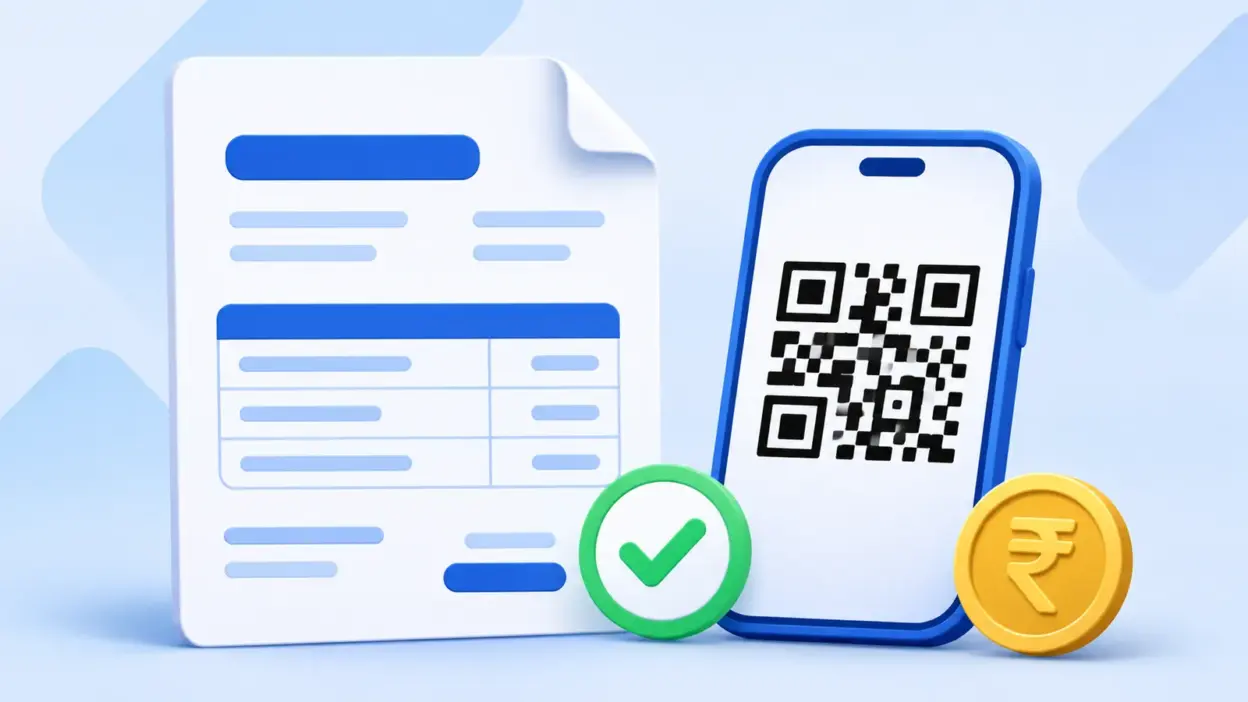
Proforma invoice format is the layout you use to show a customer the proposed goods or services, price and payment terms before the supply is completed. It helps a buyer approve the order or pay an advance, but it is not a substitute for the final tax invoice.
What a proforma invoice is
A proforma invoice is a preliminary, itemised document issued before the final supply. It sets out what you intend to provide, how much it is expected to cost and what the payment or delivery terms will be.
For a service business, it can be useful after the scope has been agreed but before work starts. A web designer may send one for a 50% advance. A manufacturer or wholesaler may send one so the buyer can raise a purchase order. An exporter may also use one for pre-shipment documentation.
The important word is proforma. Put it prominently in the title, and add a note such as “This is not a tax invoice.” That stops the buyer or accounts team from treating the document as evidence of a completed taxable supply.
A proforma invoice normally does three jobs:
- Records the proposed scope, quantity and price in one place.
- Gives the buyer enough information to approve the purchase or arrange an advance.
- Creates a clean reference for the tax invoice that follows after the supply, where applicable.
There is no single government-prescribed proforma invoice template. You can choose the design, numbering style and commercial terms, provided the document is clearly identified and does not misrepresent itself as a tax invoice.
Proforma invoice vs tax invoice vs quotation
These documents can look similar, which is why labels and timing matter.
| Document | When you use it | Main purpose | Is it a tax invoice? |
|---|---|---|---|
| Quotation or estimate | Before the buyer confirms the order | Offer a price and scope that may still change | No |
| Proforma invoice | Before supply, often after the scope is broadly agreed | Present an itemised proposed bill and request approval or an advance | No |
| Purchase order | When the buyer places the order | Tell the seller what the buyer wants to purchase | No |
| Tax invoice | For the actual taxable supply, at the time required by GST rules | Record the supply, tax and amount due | Yes, where applicable |
| Receipt voucher | When a registered person receives an advance, where required | Evidence that the advance has been received | No; it is an advance receipt document |
The proforma is more detailed than a casual quotation, but it does not by itself prove that the goods were delivered or the service was supplied. It also does not give the buyer a basis to claim input tax credit. The final document for that purpose is the tax invoice issued under the applicable GST rules.
Under Section 31 of the CGST Act, a registered person issues a tax invoice for taxable goods or services at the relevant stage. The CBIC invoice rules list the particulars that a tax invoice must contain. Your proforma can mirror many of those fields for clarity, but it should remain visibly a proforma.
Proforma invoice format: fields to include
Use this checklist when creating a proforma invoice for an Indian customer:
- Document title: Write “PROFORMA INVOICE” at the top. Add “Not a tax invoice” below it.
- Proforma reference: Use an internal reference such as
PI-2026-014. Keep it separate from the tax-invoice series you use for completed supplies. - Issue date and validity: State when the proforma was prepared and how long the quoted price or terms remain valid.
- Seller details: Include your legal or trading name, address, phone, email and GSTIN if you are registered.
- Buyer details: Add the customer’s name, billing address, contact details and GSTIN or other business details when relevant.
- Supply description: Describe each product or service clearly. Avoid vague lines such as “work charges” when you can name the actual deliverable.
- Quantity, unit and rate: Show the quantity, unit price and line total for every item.
- HSN or SAC: Add the applicable code when it helps the buyer or your accounts team prepare the final invoice. Verify the code before issuing the tax invoice.
- Amounts: Show subtotal, discount, shipping or other charges, and the proposed total. If you show tax, label it as estimated or applicable to the final supply rather than implying that this document is charging GST.
- Advance terms: State the amount or percentage requested, the balance due, and what event triggers the balance payment.
- Delivery or service terms: Add the expected delivery window, project start condition, place of supply where relevant, and any agreed exclusions.
- Payment instructions: Provide the payment method, UPI ID or QR code, bank details and a reference the customer should use.
- Notes and authorisation: Add the “not a tax invoice” note, cancellation or validity terms, your contact details and an authorised signature if your process requires one.
For a tax-sensitive document, do not copy a tax invoice number into the proforma by accident. A separate proforma reference makes it easier to match the buyer’s advance, later receipt voucher and final invoice.
Proforma invoice sample for an advance
Here is a simple service-business example. The names and amounts are illustrative; replace them with your actual details and tax treatment.
PROFORMA INVOICE Not a tax invoice
| Field | Sample value |
|---|---|
| Proforma reference | PI-2026-014 |
| Issue date | 3 November 2026 |
| Valid until | 10 November 2026 |
| Seller | Aster Web Studio, Bengaluru, Karnataka |
| Buyer | North Star Foods, Pune, Maharashtra |
| Scope | WooCommerce store redesign and launch support |
| Delivery | Start after written approval and advance receipt |
| Description | Qty | Rate | Amount |
|---|---|---|---|
| Store redesign and configuration | 1 project | ₹30,000 | ₹30,000 |
| Proposed total | ₹30,000 |
Advance requested: 50% — ₹15,000 Balance: ₹15,000 on launch, subject to the agreed scope Payment: Scan the UPI QR or pay to the stated business UPI ID Note: This proforma is issued for approval and advance arrangement. It is not a GST tax invoice. The final document will be issued as applicable to the supply.
This format gives the customer enough information to approve the work without pretending that the work has already been supplied. If you are GST-registered and receive an advance, check the applicable receipt-voucher requirement. Section 31(3)(d) of the CGST Act refers to a receipt voucher for an advance, and CBIC’s rules specify particulars such as the supplier, recipient, advance amount and tax details.
Collecting the advance by UPI QR
A proforma invoice is most useful when the customer can act on it immediately. Adding a UPI QR lets the buyer scan the invoice from a phone or printed copy instead of manually entering your UPI ID.
Use a QR that points to the correct business UPI ID and, when you know the advance amount, set the QR amount to the advance rather than the full project value. Keep the written amount beside the QR so the customer can compare the scan screen with the proforma before paying.
After the payment, reconcile the credit in your merchant account with the proforma reference, customer name and amount. Do not treat a customer’s screenshot as the final confirmation. Check the actual credit and retain the UTR or transaction reference in your records.
If you need a direct UPI verification flow for online orders, PaymentSetu can match the UTR and amount to an order and send a webhook after verification. It is a payment verification service: the customer pays your own Paytm Business or PhonePe Business merchant account, and the money is not held by PaymentSetu. For a one-off invoice, the free generator is usually the simpler starting point.
Make a proforma invoice free with a UPI QR
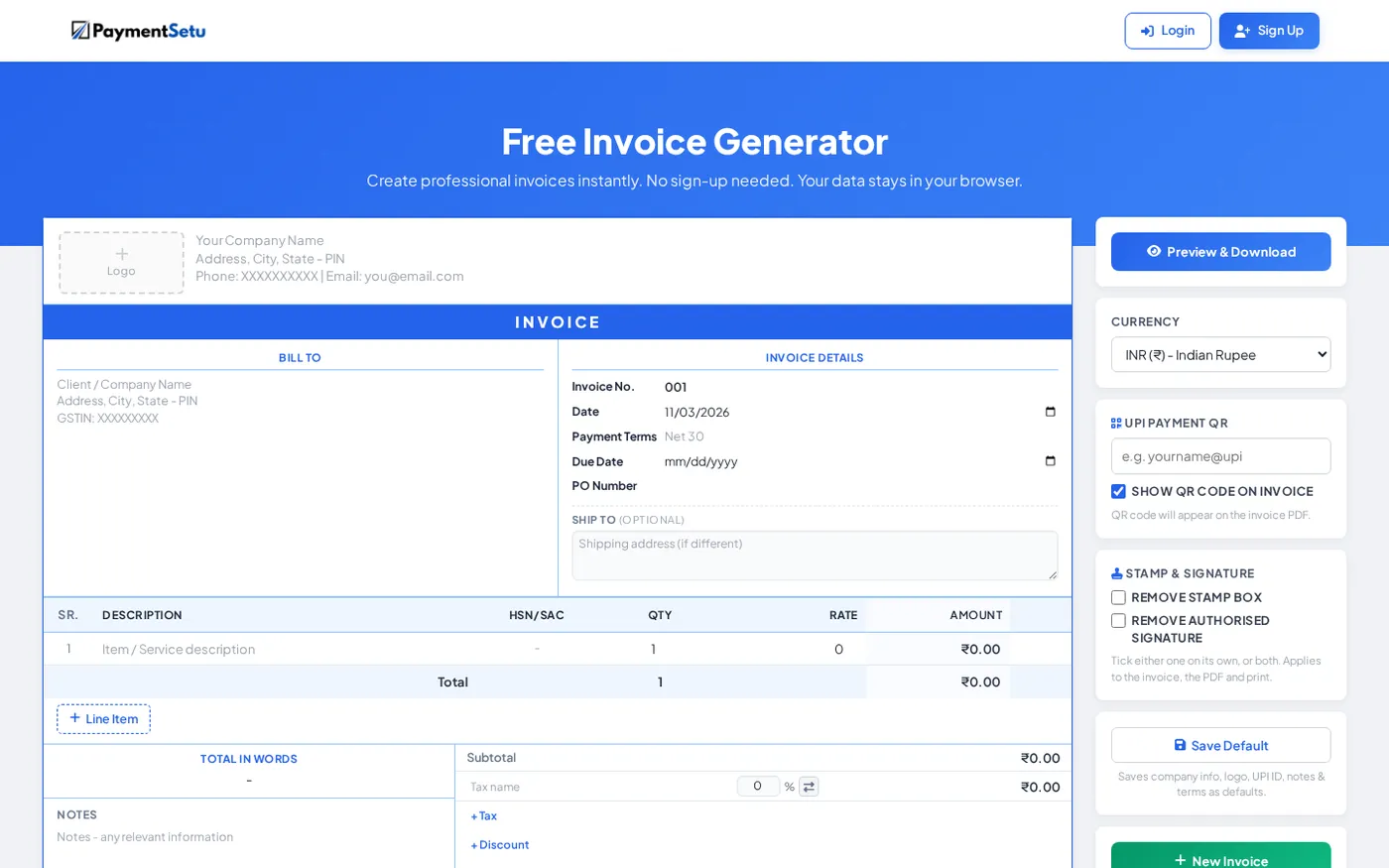
PaymentSetu’s free invoice generator creates a PDF invoice with a UPI QR and supports HSN/SAC, tax, discount and shipping fields. It is designed for freelancers and small businesses that want a professional document without signing up. The tool runs in the browser, so the invoice data stays there while you prepare the document.
To create a proforma-style document:
- Open the free invoice generator.
- Enter your business details and the customer’s details.
- Add each product or service as a separate line with its quantity and rate.
- Add the advance amount in the notes or payment terms, and make the balance condition clear.
- Enter your UPI ID and add a fixed QR amount when the requested advance is known.
- Add a visible note that the document is a proforma and not a tax invoice.
- Review the total, QR details and spelling, then download the PDF.
The generator can also be useful for a regular invoice with a UPI QR. If you need a broader checklist for a freelancer bill, see our guide to the freelancer invoice format in India. For a deeper payment-focused walkthrough, read how to create an invoice with a UPI QR.
Convert the proforma into a final invoice
Treat the proforma as the working reference, not as the end of the billing process.
- Confirm the order: Save the customer’s approval, purchase order or signed scope with the proforma reference.
- Record the advance: Match the actual UPI credit or other payment to the customer and reference. Where GST rules require it, issue the relevant receipt voucher for the advance.
- Deliver the goods or service: Keep evidence of dispatch, delivery, milestones or completion.
- Check the final figures: Update quantities, discounts, shipping, place of supply and tax treatment based on what was actually supplied.
- Issue the correct final document: Raise the tax invoice or bill of supply, as applicable, using the required particulars. Show the advance adjustment and remaining balance clearly.
- Close the records: Link the final invoice to the proforma and payment reference, then retain the documents according to your accounting process.
Do not simply rename the proforma PDF as “tax invoice”. The final invoice needs its own correct document type, number and tax details. If the order changes, revise the proforma before supply; after supply, make corrections through the document process that applies to the final invoice.
Common proforma invoice mistakes
Calling it a tax invoice. The title, footer and payment note should all make its status clear.
Using a vague description. A buyer should be able to understand exactly what the quoted amount covers without opening a separate email thread.
Requesting an advance without stating the balance. Show the percentage or amount requested, the remaining amount and the trigger for the balance.
Showing tax as final when it is only an estimate. Confirm the applicable treatment for the actual supply before issuing the final invoice.
Skipping payment verification. A screenshot is not proof that your merchant account received the money. Match the credit and transaction reference before marking an advance as received.
Mixing proforma and tax-invoice numbering. Use an easy-to-search proforma reference, but keep your tax-invoice sequence controlled for the documents that are actually tax invoices.
FAQ
Is a proforma invoice the same as a quotation?
No. A quotation is usually an offer or estimate that may still be negotiated. A proforma invoice is a more formal, itemised pre-supply document that is often used after the scope is broadly agreed and before an advance or purchase order.
Can I collect an advance against a proforma invoice?
Yes, businesses commonly use a proforma to explain the amount and terms for an advance. If you are a registered person receiving an advance, check the applicable GST receipt-voucher requirement; the proforma itself does not replace that document.
Can a buyer claim GST input tax credit on a proforma invoice?
No. A proforma invoice is not the tax invoice for the completed supply, so it should not be used as the document for an input tax credit claim. The seller should issue the applicable final document when the supply and GST rules require it.
Should a proforma invoice include GST?
You may show proposed tax information to help the buyer understand the expected total, but label it clearly as estimated or applicable to the final supply. Do not present the proforma as proof that GST has been charged; confirm the final treatment before issuing the tax invoice.
Does a proforma invoice need a UPI QR code?
No, a QR code is optional. It is useful when you want the buyer to pay an advance quickly, especially for a freelancer invoice, service booking or small-business order. Put the UPI ID and requested amount in text as well so the customer can verify the payment details.