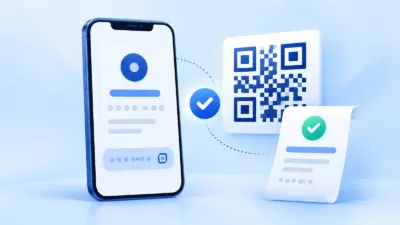

UPI payment integration in node js is straightforward when your server owns the order, amount and payment confirmation flow. This Express example creates a PaymentSetu order, sends the customer to its hosted QR page, verifies the raw webhook body with HMAC, and uses order status as a server-side fallback.
What you will build
The completed flow has one checkout route, one webhook route and one fallback check:
- Your Node.js server creates a unique order with the amount in integer paisa.
- PaymentSetu returns a
payment_urlfor the order’s hosted QR checkout. - The customer pays by UPI directly into your connected Paytm Business or PhonePe Business merchant account.
- PaymentSetu matches the payment and sends an HMAC-signed JSON webhook.
- Your server validates the event, checks the order and amount, then marks the order paid once.
- A return page or scheduled job can call
GET /api/order_status/{client_txn_id}if it needs to reconcile an order.
PaymentSetu is a payment verification service, not a payment gateway. It does not hold the money; the customer pays your own connected merchant account, while PaymentSetu matches the transaction to the order and notifies your application.
The important implementation detail is the webhook parser. Express’s normal JSON parser gives you a JavaScript object, but HMAC verification must use the exact bytes received over the network. Express documents express.raw() as the middleware that puts the request body in a Buffer, which is what the webhook route needs.
Step 1: Set up the Node.js project
Why: the API key and webhook secret must stay on your server, while the browser only receives a payment URL and an order identifier.
Use Node.js 18 or newer if you want the built-in fetch() API. Node’s documentation lists fetch() as available without the experimental flag from Node 18. Install Express and create an environment file outside source control:
mkdir upi-node-checkout
cd upi-node-checkout
npm init -y
npm install express
Set the project to use ES modules by adding this field to package.json:
{
  "type": "module",
  "scripts": {
    "start": "node server.js"
  }
}
Create .env through your process manager or shell. The example reads environment variables directly, so use a secrets manager or a deployment setting if your host provides one:
PAYMENTSETU_API_KEY=replace-with-your-api-key
PAYMENTSETU_WEBHOOK_SECRET=replace-with-your-webhook-secret
PAYMENTSETU_API_BASE_URL=https://paymentsetu.com/api
PORT=3000
The PaymentSetu API documentation is the source of truth for the credentials and webhook values shown in your account. If your account uses the API key itself to sign webhooks, set PAYMENTSETU_WEBHOOK_SECRET to that same server-side value. Never put either secret in frontend JavaScript, a mobile bundle or a public repository.
You also need an orders table or repository with at least these fields:
| Field | Purpose |
|---|---|
order_id | Your unique reference, also sent to PaymentSetu |
amount_paise | The server-calculated amount expected for the order |
status | Start at pending, then transition to paid once |
txn_utr | The UTR recorded from the verified payment event |
webhook_event_id | A unique event or transaction reference for idempotency |
For the snippets below, orders.createPending, orders.findById, orders.markPaidOnce and fulfilOrder represent your database and fulfilment layer. Replace them with Prisma, Sequelize, Knex, MongoDB or your own repository methods.
Step 2: Create an order with fetch
Why: the same server-generated reference links the customer’s QR payment, webhook and local order record.
Calculate the amount from your product or cart data on the server. Do not trust a hidden form field or a price sent by the browser. PaymentSetu expects an integer amount in paisa, so ₹249 becomes 24900.
Create server.js with the API helper and checkout route below. The route accepts an internal cartId; it does not accept an amount from the customer.
import express from 'express';

const app = express();
const port = Number(process.env.PORT || 3000);
const apiKey = process.env.PAYMENTSETU_API_KEY;
const webhookSecret = process.env.PAYMENTSETU_WEBHOOK_SECRET || apiKey;
const apiBaseUrl = process.env.PAYMENTSETU_API_BASE_URL || 'https://paymentsetu.com/api';

if (!apiKey || !webhookSecret) {
  throw new Error('PaymentSetu credentials are not configured');
}

async function paymentSetuRequest(path, options = {}) {
  const response = await fetch(`${apiBaseUrl}${path}`, {
    ...options,
    headers: {
      Accept: 'application/json',
      Authorization: `Bearer ${apiKey}`,
      ...(options.body ? { 'Content-Type': 'application/json' } : {}),
      ...options.headers
    }
  });

  const text = await response.text();
  let body;

  try {
    body = text ? JSON.parse(text) : {};
  } catch {
    throw new Error(`PaymentSetu returned non-JSON (${response.status})`);
  }

  if (!response.ok || body.status === false) {
    throw new Error(body.msg || `PaymentSetu request failed (${response.status})`);
  }

  return body;
}

// Replace this with your real product, cart and database lookup.
async function loadCartFromDatabase(cartId) {
  if (!cartId) return null;

  return {
    cartId,
    orderId: `ORDER-${cartId}-${Date.now()}`,
    amountPaise: 24900,
    customerName: 'Asha Sharma',
    customerEmail: '[email protected]',
    customerMobile: '9876543210'
  };
}

// JSON parsing is scoped to this route, so the webhook can keep its raw body.
app.post('/checkout/create-order', express.json(), async (req, res, next) => {
  try {
    const cart = await loadCartFromDatabase(req.body.cartId);
    if (!cart) return res.status(404).json({ error: 'Cart not found' });

    // Save pending status before the external request.
    // await orders.createPending(cart);

    const result = await paymentSetuRequest('/create_order', {
      method: 'POST',
      body: JSON.stringify({
        order_id: cart.orderId,
        amount: cart.amountPaise,
        redirect_url: 'https://example.com/payment-return',
        customer_name: cart.customerName,
        customer_email: cart.customerEmail,
        customer_mobile: cart.customerMobile,
        remarks: `Order ${cart.orderId}`
      })
    });

    // Return only what the browser needs. Keep the bearer key on this server.
    res.status(201).json({
      orderId: cart.orderId,
      paymentUrl: result.payment_url
    });
  } catch (error) {
    next(error);
  }
});
Your frontend can POST { "cartId": "cart-123" } to /checkout/create-order and redirect the browser to the returned paymentUrl. The hosted page displays the QR for that order. Do not treat the redirect back to redirect_url as proof of payment; a customer can close the tab, revisit the URL or return before your server has received the webhook.
Success looks like this: your database has a pending order, the API response has status: true and a payment_url, and no API key appears in the browser response or page source.
Step 3: Put the raw-body webhook before JSON parsing
Why: parsing JSON and serialising it again can change whitespace, escaping or key order. Even though the visible data is the same, the bytes are different and the HMAC will not match.
Register the webhook route with express.raw({ type: 'application/json' }). It must run before a global app.use(express.json()) middleware. The current Express API documents the verify callback and raw Buffer behaviour in its express.raw() reference.
import { createHmac, timingSafeEqual } from 'node:crypto';

function sameHexDigest(expectedHex, receivedHex) {
  if (!/^[a-f0-9]{64}$/i.test(receivedHex)) return false;

  const expected = Buffer.from(expectedHex, 'hex');
  const received = Buffer.from(receivedHex, 'hex');

  return expected.length === received.length && timingSafeEqual(expected, received);
}

function verifyPaymentSetuWebhook(rawBody, timestamp, receivedSignature) {
  if (!timestamp || !/^\d+$/.test(timestamp)) return false;

  // Reject stale signed requests. Keep the window aligned with your API contract.
  if (Math.abs(Date.now() / 1000 - Number(timestamp)) > 300) return false;

  const signedMessage = `${timestamp}.${rawBody.toString('utf8')}`;
  const expectedSignature = createHmac('sha256', webhookSecret)
    .update(signedMessage)
    .digest('hex');

  return sameHexDigest(expectedSignature, receivedSignature);
}

// This route must appear before app.use(express.json()).
app.post(
  '/webhooks/paymentsetu',
  express.raw({ type: 'application/json', limit: '100kb' }),
  async (req, res, next) => {
    try {
      const rawBody = req.body;
      const timestamp = req.get('X-PaymentSetu-Timestamp') || '';
      const signature = req.get('X-PaymentSetu-Signature') || '';

      if (!Buffer.isBuffer(rawBody)) {
        return res.status(400).json({ error: 'Expected a raw JSON body' });
      }

      if (!verifyPaymentSetuWebhook(rawBody, timestamp, signature)) {
        return res.status(401).json({ error: 'Invalid webhook signature' });
      }

      let event;
      try {
        event = JSON.parse(rawBody.toString('utf8'));
      } catch {
        return res.status(400).json({ error: 'Invalid JSON' });
      }

      const orderId = String(event.order_id || '');
      const status = String(event.status || '').toLowerCase();
      const amountPaise = Number(event.amount);
      const utr = String(event.txn_utr || '');
      const eventId = String(event.event_id || event.txn_utr || '');

      if (!orderId || !Number.isInteger(amountPaise) || !utr) {
        return res.status(400).json({ error: 'Incomplete payment event' });
      }

      const order = await orders.findById(orderId);
      if (!order || order.amountPaise !== amountPaise) {
        return res.status(400).json({ error: 'Order or amount does not match' });
      }

      if (status === 'success') {
        // This database operation must be atomic and safe to call twice.
        const changed = await orders.markPaidOnce(orderId, {
          utr,
          eventId,
          amountPaise
        });

        if (changed) {
          await fulfilOrder(orderId);
        }
      }

      return res.status(200).json({ status: true });
    } catch (error) {
      next(error);
    }
  }
);

app.use(express.json());
The event is parsed only after the signature passes. The Node.js crypto documentation describes createHmac() and timingSafeEqual(); the latter requires buffers of equal length, which is why the helper checks that the received value is a 64-character hexadecimal SHA-256 digest first.
The example assumes that the signed message is timestamp.raw_json_body, matching the PaymentSetu webhook contract. Use the exact header names and digest format shown in your account’s API documentation. If the documented format includes a prefix such as sha256=, remove only that documented prefix before the length check; do not trim or re-encode the payload.
Step 4: Verify the order and mark it paid once
Why: a valid signature proves the message was signed with the shared secret, but your application must still prove that the event belongs to the expected local order.
The handler should apply these checks in order:
- Confirm the body is raw bytes and the timestamp is within the accepted window.
- Verify the HMAC before reading payment fields.
- Parse the JSON and find the local order by your saved
order_id. - Compare the event amount with the server-calculated amount in paisa.
- Require a successful status and a transaction UTR before fulfilment.
- Record the UTR or event ID with a unique database constraint.
- Change
pendingtopaidatomically, then fulfil only if that transition changed one row.
markPaidOnce() should never overwrite a paid order with a different amount or UTR. If the same signed event is delivered again, it should return false; your route can acknowledge it with HTTP 200 without sending a second email, download, booking confirmation or account credit.
The webhook is the normal confirmation path. PaymentSetu matches the UTR and amount to the dynamic QR or order, then sends the signed notification. A browser message such as “payment submitted” and a screenshot are not substitutes for the server-side checks above.
Step 5: Add an order-status fallback
Why: a fallback lets your return page or a reconciliation worker ask the API about an order when the customer returns before your webhook handler has completed.
Call the status endpoint from Node.js, never from browser code:
async function getPaymentStatus(clientTxnId) {
  return paymentSetuRequest(
    `/order_status/${encodeURIComponent(clientTxnId)}`,
    { method: 'GET' }
  );
}

async function reconcilePendingOrder(order) {
  const result = await getPaymentStatus(order.orderId);

  // Map the documented response fields to your local status model.
  // Do the same amount, UTR and idempotency checks as the webhook path.
  const payment = result.data || result;
  const status = String(payment.status || '').toLowerCase();

  if (status !== 'success') return { state: 'pending' };

  const amountPaise = Number(payment.amount);
  const utr = String(payment.txn_utr || '');
  if (amountPaise !== order.amountPaise || !utr) {
    return { state: 'review' };
  }

  const changed = await orders.markPaidOnce(order.orderId, {
    amountPaise,
    utr,
    eventId: utr
  });

  if (changed) await fulfilOrder(order.orderId);
  return { state: 'paid' };
}
Keep the response-to-model mapping in one adapter because the API response shape can vary by integration version. Do not mark an order paid just because the HTTP request returned 200; inspect the documented payment status and match the identifier, amount and UTR to your local record.
You can also call GET /api/check_credits with the same bearer authentication from an admin-only health check. The Pro plan includes 1,000 credits, and one credit represents one successful payment verified. PaymentSetu Pro is ₹999 per 30 days, with 0% commission on payments, dynamic QR, webhooks, API access, a unified dashboard, real-time notifications and priority support. See the current PaymentSetu pricing before choosing a plan.
Step 6: Test the complete Express flow
Why: an integration is complete only when creation, QR payment, signed delivery, duplicate delivery and reconciliation all produce the expected local state.
Use a separate test order and walk through this checklist:
- POST a cart ID to
/checkout/create-orderand confirm that your database storespendingbefore the API call. - Confirm that the response contains a
paymentUrland that the API key is absent from it. - Open the hosted page, scan the QR and complete the UPI payment.
- Confirm the webhook endpoint receives
X-PaymentSetu-TimestampandX-PaymentSetu-Signature. - Confirm the route sees
Buffer.isBuffer(req.body) === truebefore JSON parsing. - Confirm a valid event matches the local order ID and integer paisa amount.
- Confirm the order becomes paid once and stores the UTR.
- Replay the same signed request in a safe test environment; confirm no second fulfilment occurs.
- Alter one byte or use the wrong secret; confirm the endpoint returns 401 and changes no order.
- Call the order-status endpoint for a pending test record and confirm your fallback uses the same idempotent update.
Do not log the API key, webhook secret or complete payment payload in production logs. Log a request ID, local order ID, event ID and high-level outcome instead.
Troubleshooting Node.js webhook integrations
The signature is always invalid
Check that the webhook route is before express.json(), req.body is a Buffer, and the HMAC input is exactly timestamp + '.' + raw body. Check the secret, header spelling, timestamp units and digest encoding. Do not call JSON.stringify(JSON.parse(rawBody)) before hashing.
The API rejects the amount
Send integer paisa from trusted server-side cart data. ₹100 is 10000; a formatted value such as ₹100, 100.00 or a client-supplied amount should not be sent as the order amount.
The customer returns but the order is still pending
The return URL is navigation, not confirmation. Inspect webhook delivery and server logs, then call GET /api/order_status/{client_txn_id} from your backend. Keep the local order pending until a trusted response matches the saved order and amount.
The same order is fulfilled twice
Make the paid transition conditional on status = pending and give the UTR or event ID a unique constraint. Return success for a repeated valid event after the first transaction has already been recorded.
req.body is an object instead of a Buffer
The webhook request was parsed by JSON middleware first, or its Content-Type did not match application/json. Move the route-level express.raw() before the global parser and confirm that the sender uses the content type expected by the route.
FAQ
Can I use Node.js fetch for the PaymentSetu API?
Yes. Node’s built-in fetch() is available without the experimental flag from Node 18. Keep the call on your server so the bearer API key is never sent to the browser.
Is PaymentSetu a payment gateway for Node.js?
No. PaymentSetu is a payment verification service. The customer pays directly into your connected Paytm Business or PhonePe Business merchant account, and PaymentSetu matches the payment to your order before sending the webhook.
Why must Express read the raw webhook body?
The signature is calculated from the exact request bytes. Parsing JSON and serialising it again can alter whitespace or key order, so calculate the HMAC from the Buffer created by express.raw() and parse only after the signature is valid.
Should my return URL mark an order paid?
No. A return URL is controlled by the customer’s browser and can arrive before server-side verification. Use the verified, amount-matched webhook as the normal confirmation path and the server-side order-status endpoint for reconciliation.
Do I need to build the QR image in Node.js?
No. POST /api/create_order returns a payment_url for the hosted QR checkout. Your server can redirect the customer to that URL, while your webhook handles the verified order update.
DONE upi-payment-integration-nodejs words=1891