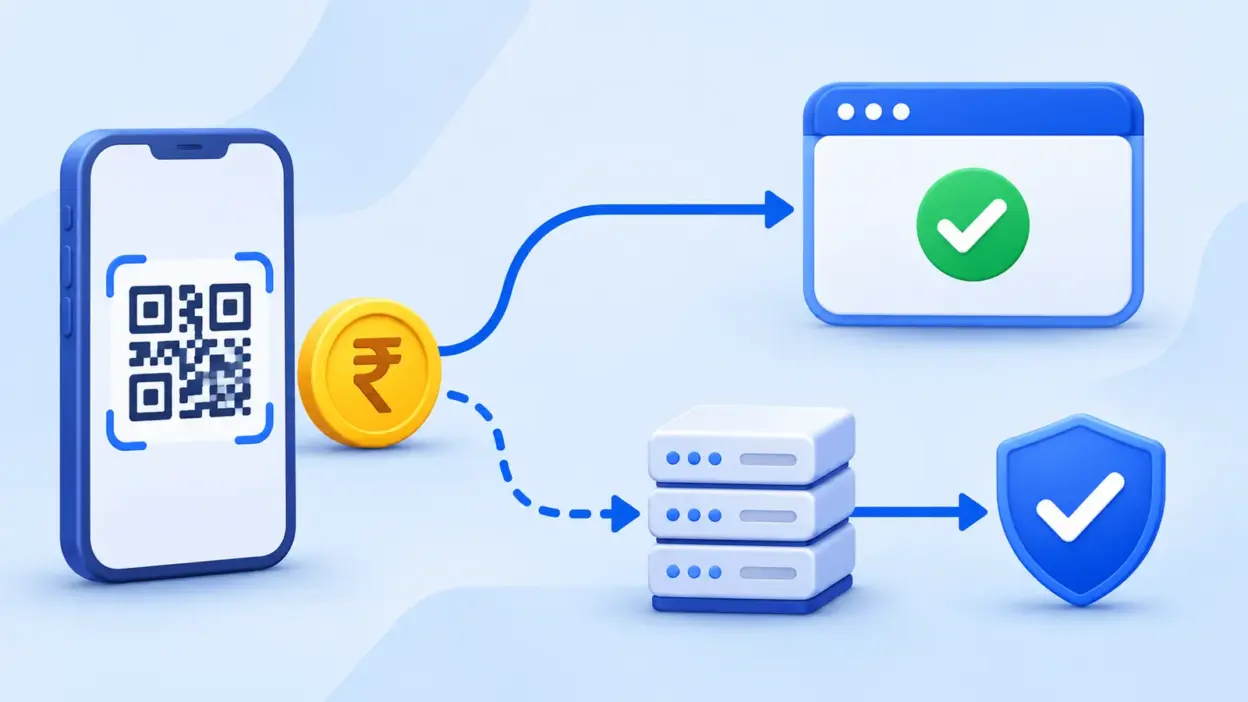
Callback URL vs webhook is a common payment-integration question because the names overlap, but the jobs are different. A return URL takes the customer back to a page in their browser; a webhook tells your server what happened, and the signed webhook should be the authority for changing an order to paid.
Three URLs, three jobs
The easiest way to separate them is to ask who makes the request and what the request is allowed to do.
| URL | Caller | Typical method | Main job | Should it mark an order paid? |
|---|---|---|---|---|
| Return URL | Customer’s browser | Usually GET | Show the next page after checkout | No, not by itself |
| Webhook URL | Payment service | Usually POST | Deliver a payment event to your backend | Yes, after signature and order checks |
| Callback URL | Depends on the documentation | Often POST, sometimes a browser redirect | Generic name for a receiving endpoint | Only if it is a verified server callback |
“Callback URL” is not a universal fourth type of URL. Some payment documentation uses callback to mean a webhook endpoint. Other documentation uses callback for a browser response or for a local file that receives a provider response. Do not rely on the label: confirm whether the caller is the browser or the payment service, whether the request is signed, and whether the endpoint is intended for fulfilment.
Return URL: the customer experience
A return URL is where the customer’s browser goes after the payment page or UPI flow finishes. It can display “Payment received”, “We are checking your payment”, or “Payment cancelled”, along with a link back to the order.
The browser is not a trusted payment channel. A customer can close the tab, revisit the URL, change query parameters, use an old bookmarked URL, or reach the page without completing payment. Even a page that says “success” may only mean that the browser was redirected with a success-looking value.
In HTTP, a redirect is a response that points the user agent to another URL through a 3xx status and Location header. The MDN guide to HTTP redirections explains this browser-navigation behaviour; it does not turn the browser into a payment-verification service.
Webhook URL: the payment event
A webhook URL is a public HTTPS endpoint on your server. The payment service sends an HTTP request to it when an event occurs, such as a payment being matched to an order.
Your webhook handler should authenticate the request, validate the event, match the order reference and amount, save the transaction reference, and perform the business action once. It should then return a successful HTTP response after accepting the event.
The GOV.UK Pay webhook documentation is a useful independent example of this pattern: the service sends POST requests after payment events and expects the receiving endpoint to acknowledge them. The exact headers, payload and retry rules differ by service, so always follow PaymentSetu’s integration contract for a PaymentSetu webhook.
Callback URL: read the contract, not the name
You may see all of these phrases in documentation:
- “Set the callback URL” for a server endpoint that receives payment notifications.
- “Return to the callback URL” for a browser redirect after checkout.
- “Add the callback file” for a platform module that processes a server notification.
Treat the phrase as a configuration label. The security question is more important: does this request come from an authenticated payment service, or is it just a navigation performed by a browser?
Sequence of a UPI payment
For a PaymentSetu custom integration, a safe high-level sequence looks like this:
Customer browser       Your server                 PaymentSetu                 Your webhook
       |                    |                           |                           |
       |-- create order --->|-- API request ------------>|                           |
       |<-- QR/payment -----|<-- order reference --------|                           |
       |                    |                           |                           |
       |-- pays by UPI directly into your connected merchant account              |
       |                    |                           |                           |
       |                    |                           |-- signed payment event -->|
       |                    |                           |                           |
       |<-- return URL -----|                           |                           |
       |                    |<-- browser status page ---|                           |
       |                    |                           |                           |
       |                    |<-- verified order update from webhook ----------------|
The arrows are conceptual rather than a promise about exact timing. The return can happen before or after your server receives the webhook. Your status page should therefore read your own order state, not decide the state from a query parameter in the browser.
For a custom flow, the relevant PaymentSetu API surface includes POST /api/create_order, GET /api/order_status/{client_txn_id} and GET /api/check_credits. Keep the API key on your server. The customer sees the QR or payment instructions, but the server owns the order reference and the final state.
A useful state model is:
| State | Meaning | Safe customer-facing message |
|---|---|---|
created | Your server created the order | “Continue to payment” |
pending | The payment is not yet confirmed in your order record | “We are checking your payment” |
paid | A valid event matched the expected order and amount | “Payment confirmed” |
failed or expired | The payment did not become a successful match | “Payment was not confirmed” |
Use the names supported by your application. The key point is that the transition to paid happens in backend logic after verification, not because a browser returned to /success.
Why the return URL is not proof
The return URL is useful, but it is a presentation step. It helps you restore the customer journey after they leave a hosted page or finish a UPI action. It is not a reliable notification mechanism because the browser is outside your control and can make a request without a completed payment.
A weak implementation looks like this:
GET /payment/return?status=success&order=ORD-1042
  -> find ORD-1042
  -> mark it paid
  -> release the product
The problem is not the route itself. The problem is granting a browser-controlled request the authority to create a financial state change.
A safer implementation looks like this:
GET /payment/return?order=ORD-1042
  -> show “We are checking your payment”
  -> read the current state from your database

POST /webhooks/paymentsetu
  -> verify the signed raw request
  -> match order, amount and successful event
  -> update the order once
  -> return 2xx
If the customer reaches the return page first, show a pending state and let the page poll your own backend if appropriate. Your backend can use the PaymentSetu order-status endpoint for a server-side check when you need reconciliation or a status refresh. Do not expose the API key in browser JavaScript.
This separation also prevents double fulfilment. The browser may refresh the return page several times, while a webhook may be delivered again after a timeout. Neither should create a second shipment, account activation, download grant or invoice update.
Secure the webhook before changing order status
An HTTPS URL alone does not prove who sent a request. A secure webhook flow has several checks:
- Read the exact raw request body before parsing or re-encoding JSON.
- Read the signature and timestamp fields required by the PaymentSetu webhook contract.
- Calculate the expected HMAC using the server-side secret and the exact signed message.
- Compare signatures with a timing-safe comparison function.
- Reject missing, malformed, expired or invalid signatures without changing an order.
- Parse the JSON only after authentication succeeds.
- Check the event type, client transaction ID, expected amount and successful payment state.
- Store a unique event or transaction reference before applying a one-time side effect.
- Return a successful response when the event is accepted, including when it is a verified duplicate.
PaymentSetu’s HMAC webhook signature guide covers raw-body handling, SHA-256 HMAC and constant-time comparison in PHP, Python and Node.js. Its examples also show why parsing JSON first can break signature verification. For the exact PaymentSetu header names and signed message, use the current integration documentation configured for your account.
The general security principle is also reflected in GitHub’s webhook delivery validation guidance: keep the secret server-side, calculate a signature over the request body, and use a timing-safe comparison. This is a pattern, not a reason to copy another provider’s header names or algorithm into your PaymentSetu handler.
Idempotency belongs in the webhook handler
A webhook can be retried, and your application can also receive a duplicate after a network timeout. Make the handler idempotent:
begin database transaction
  verify signature and payload
  insert event_id with a unique constraint
  if event_id already exists:
      commit and return 2xx
  update the matching order from pending to paid
  record UTR/transaction reference
  enqueue fulfilment once
commit
return 2xx
Do not use the return URL as a second fulfilment path. It can display the latest order state, but the webhook path should own the transition and any one-time action.
Where to set each URL in PaymentSetu, WooCommerce and WHMCS
The right setting depends on whether you are building a custom integration or using a ready module.
PaymentSetu custom API integration
Your server needs two distinct concepts:
- Webhook URL: a public HTTPS endpoint such as
https://store.example.com/webhooks/paymentsetu. Register this as the endpoint that receives PaymentSetu’s signed payment event. It performs verification and updates your database. - Return URL: a browser-facing route such as
https://store.example.com/payment/return. Use it to show the customer the current order state. It may accept an order reference, but it must not trust asuccessquery parameter as proof.
If your configuration screen calls the webhook a “callback URL”, use that field for the server endpoint and document the meaning in your own code. Do not put the browser return page into the webhook field.
The API flow is:
- Your server calls
POST /api/create_orderwith the order reference and amount. - Your checkout displays the returned dynamic QR or payment instructions.
- Your server receives and verifies the signed webhook.
- Your return page reads your database and displays the current state.
- Your reconciliation code can call
GET /api/order_status/{client_txn_id}from the server when needed.
WooCommerce
With the PaymentSetu WooCommerce plugin, the plugin handles the WooCommerce order connection and webhook-driven update. Install the provided paymentsetu-gateway.zip, enable it under WooCommerce > Settings > Payments, and follow the plugin’s configuration for the webhook and API credentials.
Do not replace the plugin’s webhook setting with the checkout’s thank-you-page URL. WooCommerce’s thank-you page is a customer-facing return experience; the verified notification is what should move the order from pending to paid. If you are diagnosing a pending order, see the WooCommerce pending payment troubleshooting guide.
WHMCS
For hosting businesses, the PaymentSetu WHMCS module uses paymentsetu.php in modules/gateways/ together with its callback file. The callback file is backend plumbing for the module; it is not the same thing as a customer return page.
Configure the module’s callback URL and API key exactly as its setup instructions specify. Let WHMCS show the invoice result to the customer, while the verified server callback marks the invoice paid. Keep the callback endpoint public over HTTPS, but keep the API key and webhook secret out of templates and browser code.
Common mistakes
Putting the success page in the webhook field
A success page is designed for a browser and often accepts GET. A webhook sender needs a backend endpoint that can receive the documented server request, verify its signature and return a prompt acknowledgement. Give each one a separate route.
Marking an order paid from ?status=success
Treat URL parameters as display hints until your backend confirms the event. Match the verified event to the order reference and expected amount, then update the order once.
Parsing the body before HMAC verification
JSON with different whitespace or key order can represent the same object but produce different bytes. Capture the raw body first, calculate the signature over those bytes, and parse only after the comparison passes.
Returning an error after a successfully saved event
If your handler commits the update and then returns a server error, the sender may retry the same event. Save a unique event ID or transaction reference and handle that repeat safely before returning a successful response.
Confusing a callback filename with a callback protocol
A WHMCS callback file is an implementation detail of the module. The important questions remain: who calls it, what it receives, how it is authenticated, and which business state it is allowed to change.
How to choose the right URL
Use this checklist before you configure an integration:
- If the customer needs to see a page, use a return URL.
- If your backend needs an event, use a webhook URL or a documented server callback.
- If the provider says “callback URL”, read the request method, payload and authentication section before choosing a route.
- Keep return and webhook URLs separate, even if they are handled by the same application.
- Only a verified, server-to-server event should change an order, invoice or account entitlement to paid.
- Make the webhook idempotent and keep a server-side status-check path for reconciliation.
That model works for a custom UPI checkout, WooCommerce orders and WHMCS invoices. PaymentSetu adds the dynamic QR, payment matching and signed webhook event while the customer pays directly into your connected merchant account; it is a payment verification service, not a payment gateway.
FAQ
Is a callback URL the same as a webhook URL?
Not always. “Callback URL” is a broad label that some providers use for a server-to-server webhook and others use for a browser response. Check the method, caller, payload and signature requirements before treating it as a webhook.
Can a return URL mark a payment as successful?
No, not by itself. A return URL is controlled by the customer’s browser and should show the order state from your backend; a verified webhook should provide the evidence for changing the order to paid.
What should my payment webhook verify?
Verify the exact raw body with the HMAC method and secret required by the provider, then check the event type, order reference, amount and successful state. Store a unique event or transaction reference so retries do not repeat fulfilment.
Should the webhook and return URL be the same endpoint?
Keep them separate even when both routes live in the same application. The webhook needs machine-facing authentication and a concise acknowledgement, while the return URL needs a customer-facing page and must tolerate refreshes and missing browser sessions.
How does this work with WooCommerce or WHMCS?
Use the PaymentSetu plugin or module’s documented webhook/callback configuration for the backend update, and let the platform handle the customer-facing order or invoice page. Do not substitute a WooCommerce thank-you page or WHMCS customer return page for the verified server callback.